How to Use a Web3 Emoji Domain With the Website You Already Have
A common misconception is that buying a Web3 domain means rebuilding the winery website, launching a wallet experience, or asking customers to learn new technology. It does not have to start there.
The easiest first use is a redirect. The emoji domain becomes a memorable campaign address, and the destination can be a normal Web2 page you already trust.
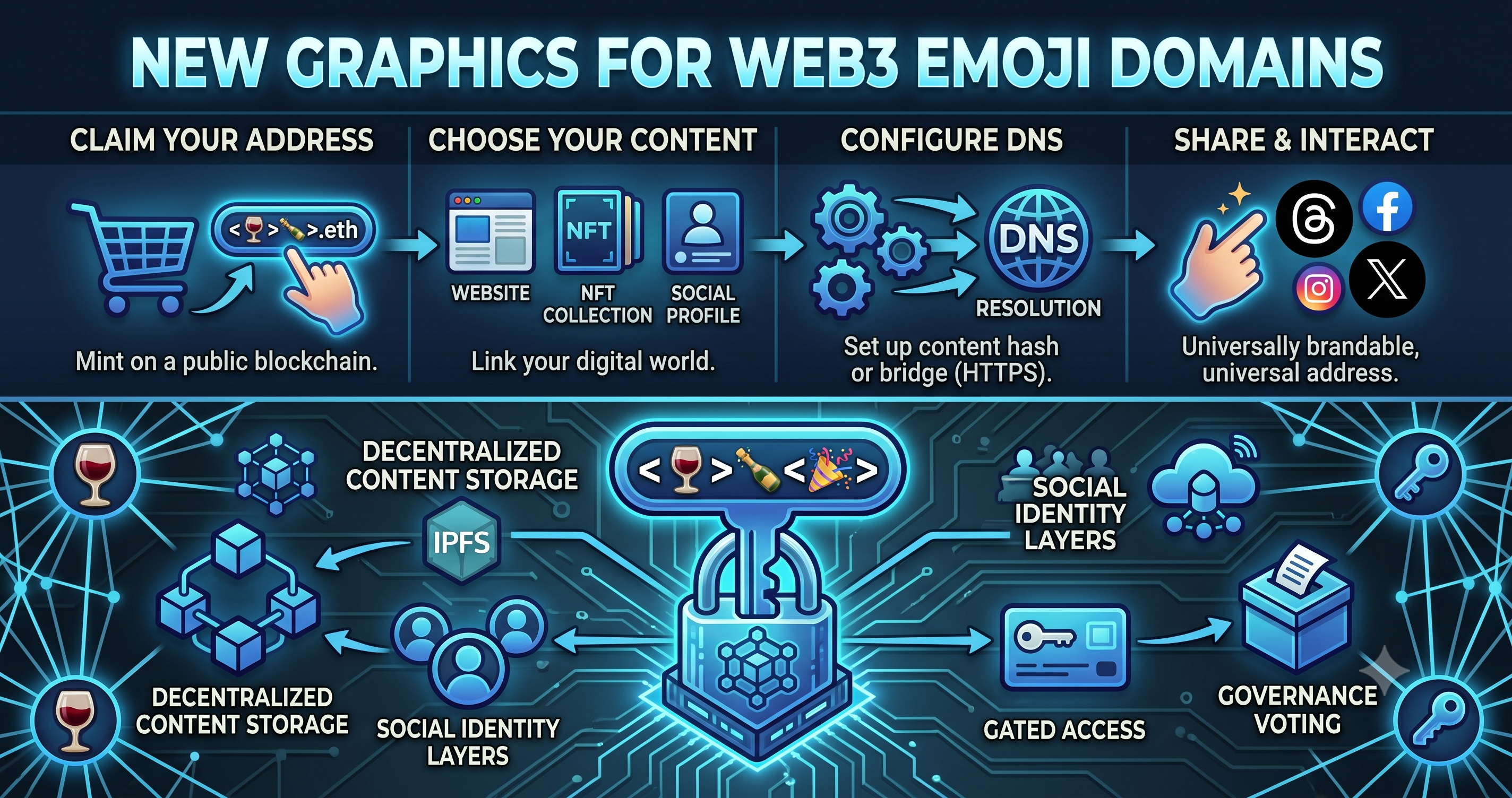
Step 1: Choose the job of the domain
Start with a clear business outcome. The best domains are tied to a specific customer action, not a vague technology experiment.
- Reserve allocations or limited releases.
- Send guests to a tasting reservation page.
- Promote wine club signup from a QR code.
- Create a memorable link for social bios.
- Protect important brand, AVA, or campaign names before competitors do.
Step 2: Pair the domain with a simple destination
The destination can be a Shopify page, Commerce7 page, Tock booking page, WineDirect store, Mailchimp signup form, custom landing page, or your existing .com.
- club.napawine🍷 can redirect to wine club signup.
- reserve.napavalley🍷 can redirect to an allocation offer.
- visit.sonomavalley🍷 can redirect to tasting reservations.
- harvest.napawine🍷 can redirect to a seasonal release story.
Step 3: Use it where attention is limited
A Web3 emoji domain is strongest when customers have only a second to notice and understand the call to action.
- Print it beside QR codes so the scan has a readable promise.
- Use it on release cards and tasting menus.
- Add it to social bios where short links matter.
- Place it on event signage and shelf talkers.
- Use it in SMS or email campaigns where memorability helps recall.
Step 4: Keep the .com and add the visual layer
Your .com can remain the main corporate website. The Web3 emoji domain works beside it as a campaign front door, a brand protection asset, and a future identity layer.
That is the bridge: practical Web2 outcomes today, with a Web3 asset that can gain more utility as adoption grows.